
One-Tap SNS Video Maker
AI turns the photos on your phone into a vertical video and a caption for social media. All you do is tap Start. A free iPhone app.
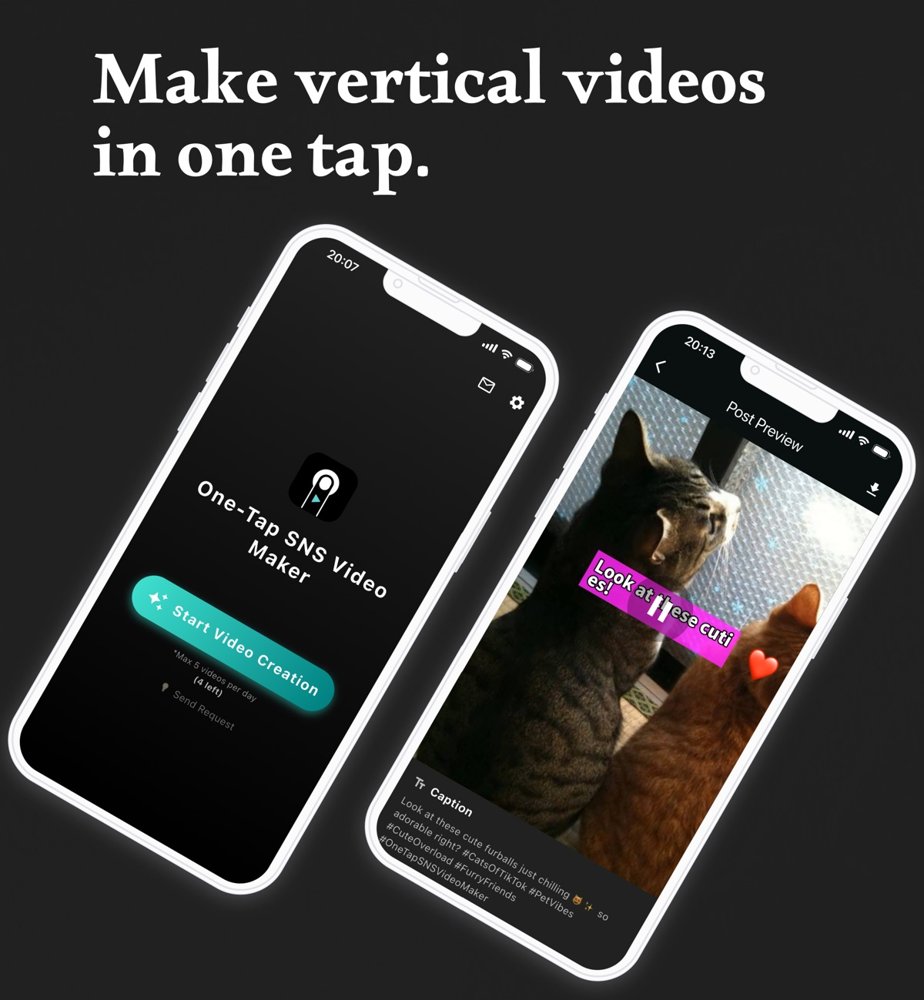
Free on the App Store
Works on iPhone (iOS 13.0 or later). You can create up to 5 videos a day; watching an ad resets the count.
View on the App StoreWhat it does
-
Makes a 10-second vertical video from your photos
The app picks from your recent photos and creates a vertical (9:16) video for social media. Motion effects such as zoom, pan and slide, plus background music, are added automatically. You can also choose the photos yourself (up to 5).
-
Writes the caption and hashtags with AI
It writes a caption and hashtags that match what's in your photos, and adds a short line of text to the video itself. You can turn the on-screen text off if you prefer.
-
Lets you choose the tone
Funny, professional, friendly, energetic, calm, trivia, poetic and more — or type in your own style.
How to use it
-
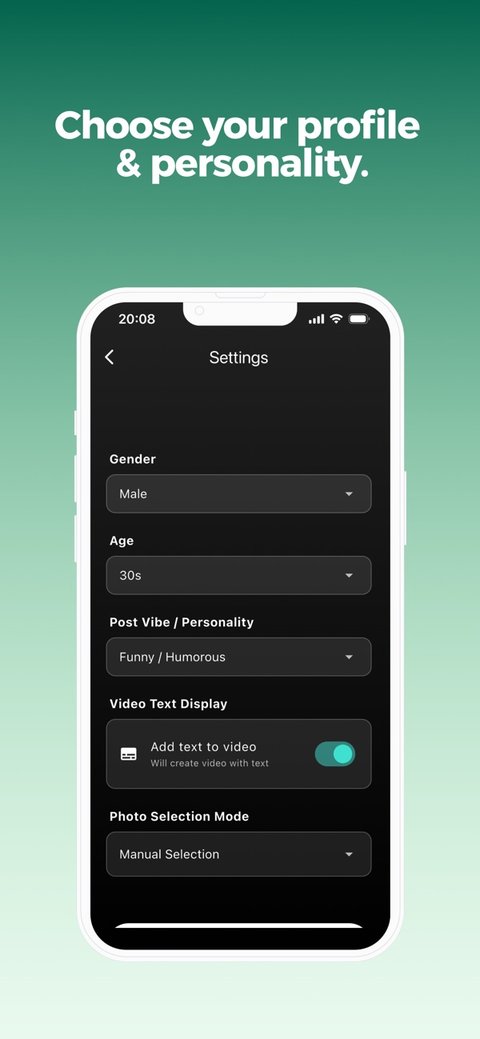
Pick your style
Choose your gender, age and the vibe of your posts. You can change these later.
-
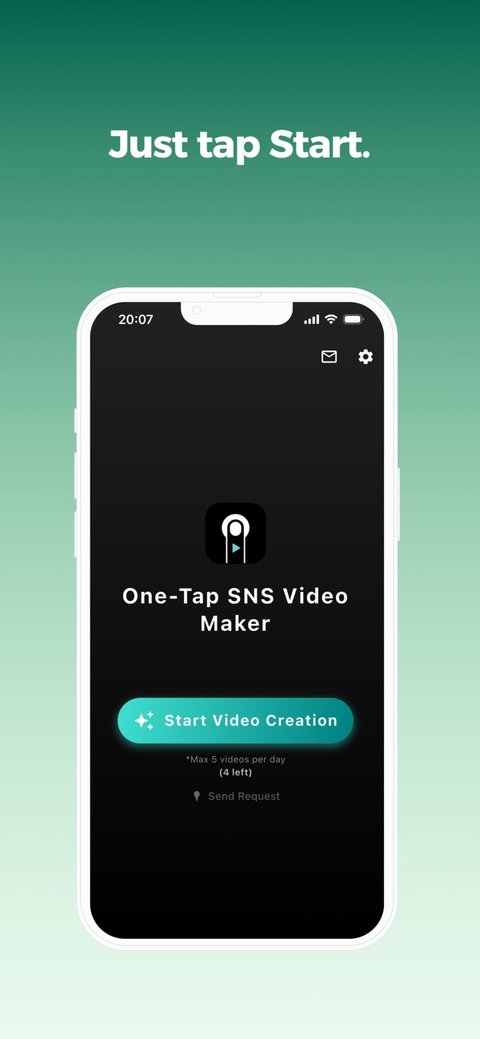
Tap Start
Tap "Start Video Creation". Your video is ready in 1–2 minutes.
-
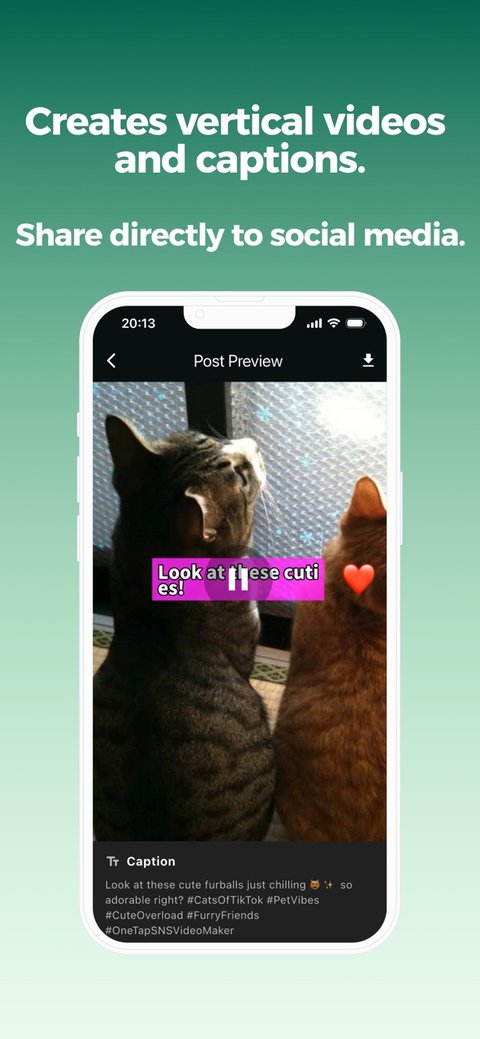
Save or share
Save it to your phone or share it straight to social media. The caption is copied, so you can just paste it in.
* To create the video, your photos are temporarily uploaded to the cloud and automatically deleted within 24 hours.
Good for you if
- You don't want to spend much time on social media posts
- You run out of ideas for daily posts
- You'd like to post videos but find editing a hassle
- You have photos sitting in your camera roll that deserve to be seen
FAQ
Is One-Tap SNS Video Maker free?
Yes, it's free. You can create up to 5 videos a day, and watching an ad resets the count.
Does it work on Android?
It is currently an iPhone app (iOS 13.0 or later).
Do I need any video editing skills?
No. Just tap "Start Video Creation" and in 1–2 minutes you get a 10-second vertical video, with photos, motion, music and captions all added automatically.
Which social media can I post to?
The videos are vertical (9:16), so you can share them straight to TikTok, Instagram, YouTube Shorts and more. The caption and hashtags are copied for you, so just paste and post.
Can I choose which photos to use?
Yes. The app picks from your recent photos automatically, or you can choose up to 5 photos yourself.
Can I change the tone of the caption?
Yes. Choose from styles such as funny, professional, friendly, energetic, calm, trivia or poetic, or type in your own style.
What happens to the photos I upload?
To create the video, your photos are temporarily uploaded to the cloud and automatically deleted within 24 hours.