
LINE E-Commerce Site Development
From choosing products and paying to the purchase confirmation, all starting from LINE, the messaging app your customers already use every day. I build online shops that work this way.
Try the demo first
A working demo shop, set up as a ramen shop, is available. Add it as a friend in LINE on your smartphone and go through the same shopping flow your customers would.
Open the demo shop (LINE)Why open a shop on LINE
-
No app download or sign-up
Customers just add your account as a friend and tap the menu in the chat screen. Because they use their LINE account, there is no new app to install and no ID or password to create.
-
Pay by credit card or Apple Pay
Payments go through a secure Stripe checkout page. Customers can pay by credit card, or with Apple Pay on iPhone.
-
Purchase confirmation arrives in LINE
After payment, a confirmation message with the order details and amount is sent automatically to the LINE chat. You can keep sending news about new products and restocks in the same chat, which helps bring customers back.
The customer's shopping flow
-
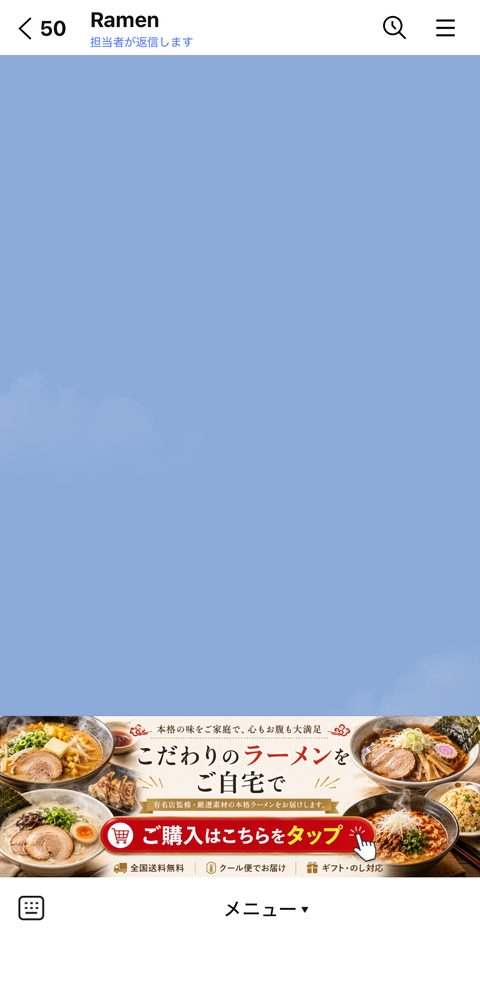
Tap the menu
In the chat screen, the customer taps the shop menu at the bottom.
-
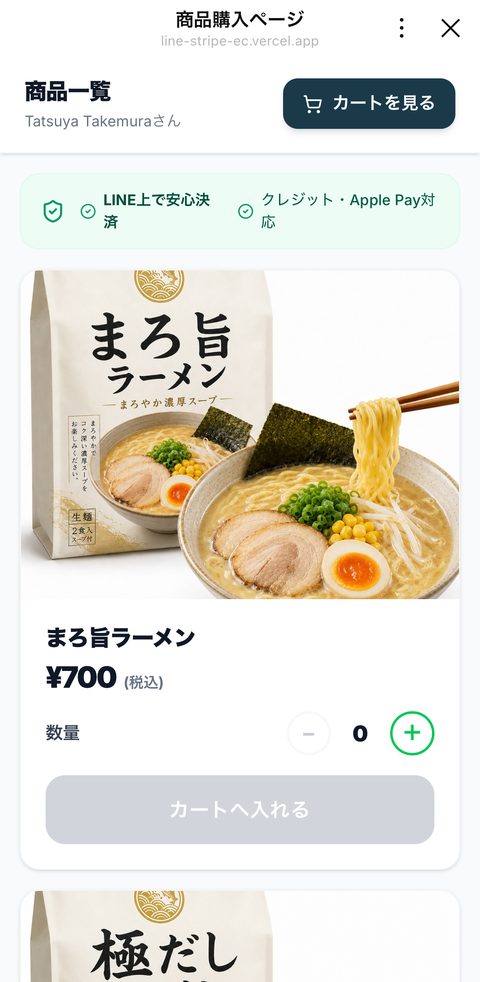
Choose products
The product list opens inside LINE. Choose a quantity and add items to the cart.
-
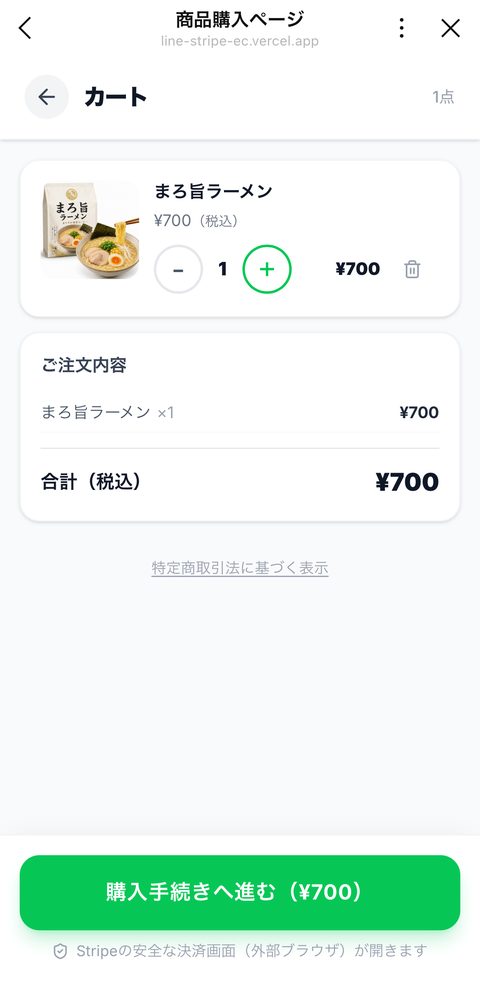
Check the cart
Review the order and total, then proceed to checkout.
-
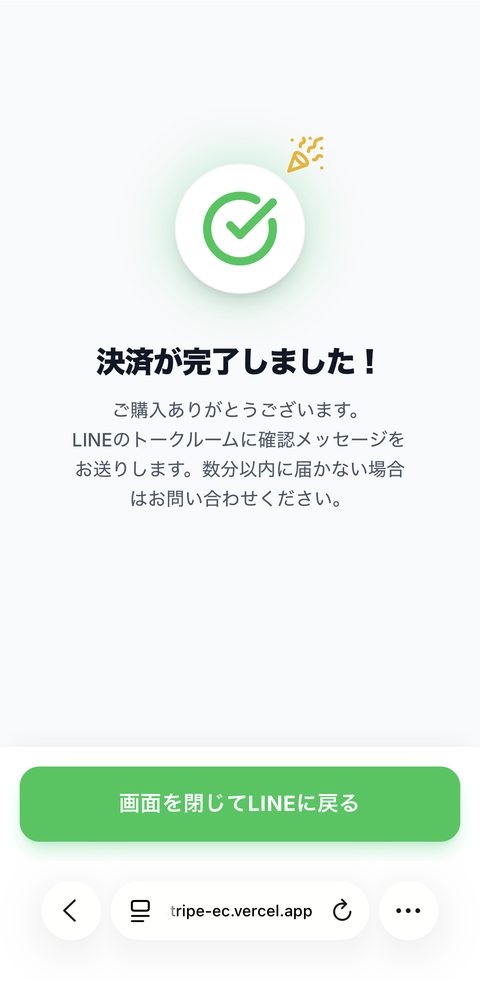
Pay and finish
Pay by credit card or Apple Pay on the Stripe checkout page.
-
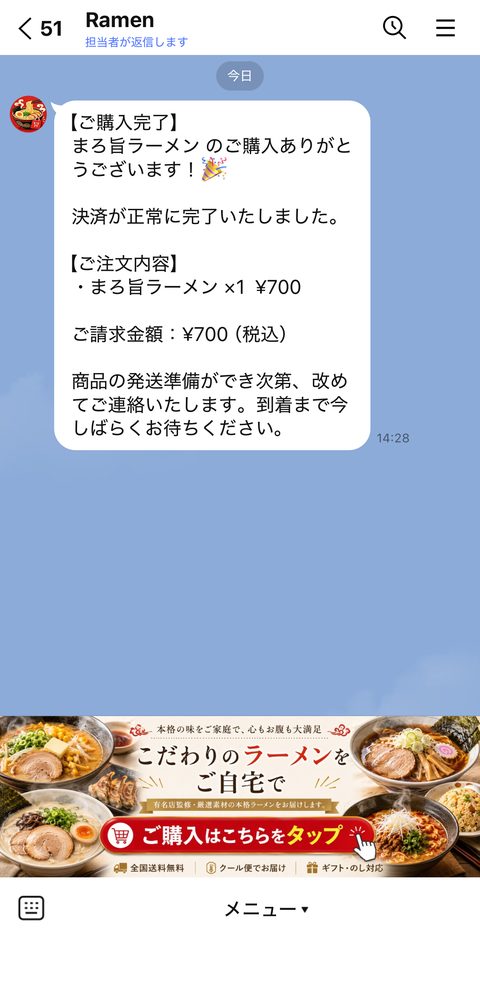
Get notified in LINE
A purchase confirmation with the order details and amount is sent to LINE automatically.
Screens are from the demo shop (set up as a ramen shop, in Japanese). Products, design and menu are built to fit your shop.
A good fit if you...
- have a LINE Official Account for your shop or class, but it isn't leading to sales yet
- want to start selling online, but feel a full-scale e-commerce site is too much for now
- want an easier way for regular customers to place orders
- want to try small-scale online sales for events or local goods